> For the complete documentation index, see [llms.txt](https://docs.geodin.com/llms.txt). Markdown versions of documentation pages are available by appending `.md` to page URLs; this page is available as [Markdown](https://docs.geodin.com/installation-and-licensing/infrastructure-and-environment-setup-guide.md).
# Infrastructure and Environment Setup Guide
General recommendation for setting up GeoDin in your network environment
## 1. System Requirements
**Operating System**: Windows 10/11 64-bit
**Database Clients or DLLs 64-bit** (depending on the database used):
* **MS SQL Server**: SQL Server Native Client or ODBC driver
* **PostgreSQL**: PostgreSQL ODBC driver (psqlODBC)
* **Oracle**: Oracle Instant Client
* Alternatively, the required DLLs can be placed in the GeoDin `BIN` directory
* **MS Access**: Recommended only for single-user environments and smaller projects
## 2. GeoDin Installation
Install GeoDin using the provided setup. Choose between the following options:
* **Client Installation** (standard installation)
* **Network Installation** (installation in a UNC path)
### Network Installation
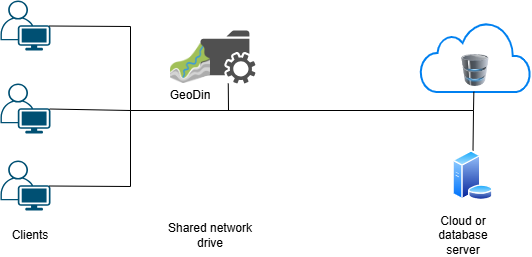
If GeoDin is used by multiple users within a network, it is recommended to install the software on a shared network drive. This offers the following advantages:
* **Centralized Configuration**: Everyone accesses the same configuration file (e.g., database connections, dictionaries, GeoDin layouts), which avoids inconsistencies.
* **Simplified Maintenance**: Updates and changes only need to be made once.
* **Reduced Administrative Effort:** No separate installation required on each client PC.
* **Controllable Access Rights**: Access can be specifically managed via the network's file system (e.g., NTFS permissions).
***
If you need a recommendation based on your requirements, please contact our [**Client Success Team**](mailto:geodinclientsuccess@fugro.com) to schedule a consultation.
## 3. GeoDin Databases
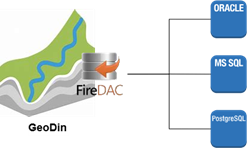
GeoDin uses **FireDAC** (Fire Data Access Components) to connect to databases. This is a universal framework that enables access to a wide range of databases - locally, remotely, or in the cloud.
#### Examples:
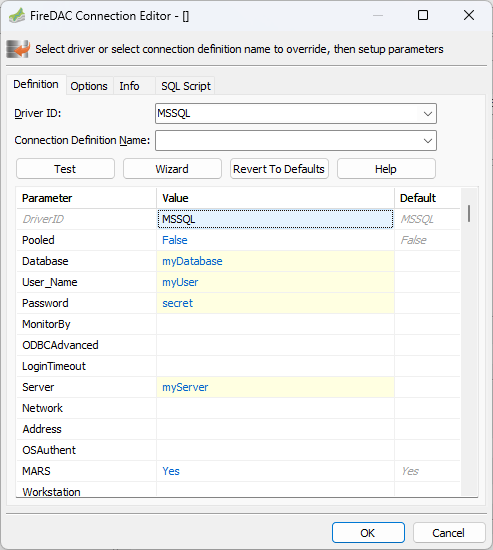
**Microsoft SQL Server**
```ini
DriverID=MSSQL
Server=myServer
Database=myDatabase
For SQL users:
User_Name=myUser
Password=secret
For Windows Authentication:
OSAuthent=Yes
Connection string:
Database=myDatabase;Server=myServer;User_Name=myUser;Password=secret;DriverID=MSSQL
```
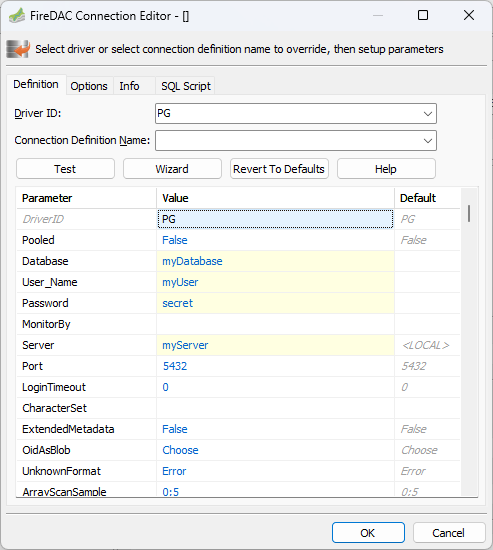
**PostgreSQL**
```ini
DriverID=PG
Server=myServer
Database=myDatabase
Port=5432
User_Name=myUser
Password=secret
Connection string:
Server=myServer;Database=myDatabase;User_Name=myUser;Password=secret;DriverID=PG
```
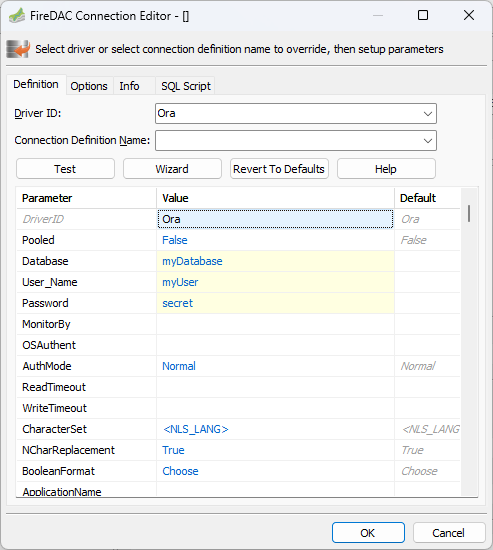
**Oracle**
```ini
DriverID=Ora
Server=myServer
Database=myDatabase
User_Name=myUser
Password=secret
Connection string:
Database=myDatabase;User_Name=myUser;Password=secret;DriverID=Ora
```
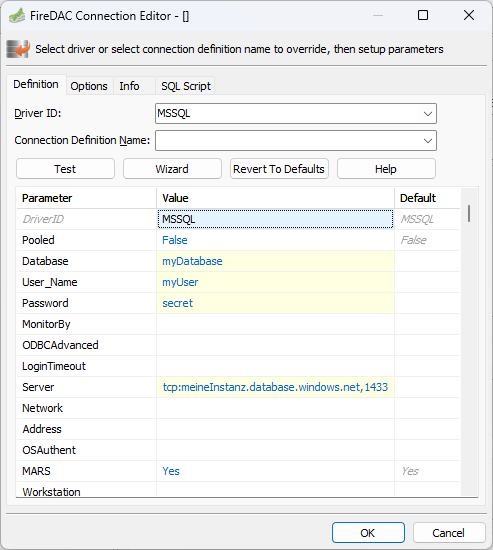
**Azure Cloud (Microsoft SQL Server)**
```ini
DriverID=MSSQL
Server=tcp:myInstance.database.windows.net,1433
Database=myDatabase
For SQL users:
User_Name=myUser
Password=secret
For Windows Authentication:
OSAuthent=Yes
For encrypted connections:
Encrypt=Yes
Connection string:
Database=myDatabase;User_Name=myUser;Password=secret;Server=tcp:myInstance.database.windows.net,1433;Encrypt=Yes;DriverID=MSSQL
```
## 4. Internet Access and Proxy
Some GeoDin functions use an internet connection - for example the [online help update](/administration/updating-and-upgrading/release-and-beta-update-guide-until-geodin-10.1.md) and object-type downloads. If your network reaches the internet through a proxy, enter the proxy settings in GeoDin's system configuration. The settings are saved on the local system and are used for every internet connection GeoDin makes.
---
# Agent Instructions
This documentation is published with GitBook. GitBook is the documentation platform designed so that both humans and AI agents can read, navigate, and reason over technical content effectively. Learn more at gitbook.com.
## Querying This Documentation
If you need additional information that is not directly available in this page, you can query the documentation dynamically by asking a question.
Perform an HTTP GET request on the current page URL with the `ask` query parameter, and the optional `goal` query parameter:
```
GET https://docs.geodin.com/installation-and-licensing/infrastructure-and-environment-setup-guide.md?ask=&goal=
```
`ask` is the immediate question: it should be specific, self-contained, and written in natural language.
`goal` is optional and describes the broader end goal you are ultimately trying to accomplish on behalf of the user. GitBook uses it to tailor the answer towards what is most useful for that goal.
The response will contain a direct answer to the question and relevant excerpts and sources from the documentation.
Use this mechanism when the answer is not explicitly present in the current page, you need clarification or additional context, or you want to retrieve related documentation sections.