> For the complete documentation index, see [llms.txt](https://docs.geodin.com/llms.txt). Markdown versions of documentation pages are available by appending `.md` to page URLs; this page is available as [Markdown](https://docs.geodin.com/geodin-onsite/ru/podderzhka/updates-and-version-compatibility.md). Agents can also search and read this documentation through its [MCP server](https://docs.geodin.com/~gitbook/mcp).
# Обновления и совместимость версий
GeoDin Onsite включает в себя **автоматическую проверку обновлений**. Вскоре после запуска приложения система подключается к серверу ресурсов GeoDin, чтобы проверить, доступна ли более новая версия.
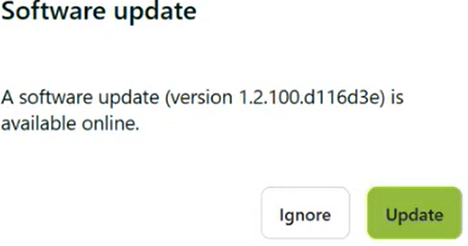
* Если обновление найдено, появится окно уведомления.
* При выборе **Обновить** будет загружен последний установщик.
* Установщик автоматически удаляет предыдущую версию и устанавливает новую.
Этот процесс гарантирует, что у пользователей всегда будет доступ к самым последним функциям, улучшениям и исправлениям безопасности.
## 1. Обратная совместимость
Все новые версии GeoDin Onsite разработаны с **обратной совместимостью**. Это означает, что любые данные, созданные в более старых версиях, по-прежнему можно открыть и использовать в более новых выпусках.
## 2. Прямая совместимость
Однако обратное не гарантируется. Если коллега работает с более новой версией и создает файл, этот файл может быть недоступен в более старой версии программы. По этой причине настоятельно рекомендуется, чтобы все члены команды своевременно обновляли свои установки.
---
# Agent Instructions
This documentation is published with GitBook. GitBook is the documentation platform designed so that both humans and AI agents can read, navigate, and reason over technical content effectively. Learn more at gitbook.com.
## Querying This Documentation
If you need additional information that is not directly available in this page, you can query the documentation by asking a question.
Perform an HTTP GET request on the following URL with the `ask` and `goal` query parameters:
```
GET https://docs.geodin.com/geodin-onsite/ru/podderzhka/updates-and-version-compatibility.md?ask=&goal=
```
`ask` is the immediate question: it should be specific, self-contained, and written in natural language.
`goal` is what the user is ultimately trying to achieve, the reason they need the answer. Sharing it helps GitBook give you a better, more relevant answer. A goal is most helpful when it describes the outcome the user wants rather than restating the question. For example, with `ask=how do I create an API token`, a goal like `automate deployments from our CI pipeline` lets GitBook tailor the answer to that use case.
The response will contain a direct answer to the question and relevant excerpts and sources from the documentation.
Use this mechanism when the answer is not explicitly present in the current page, you need clarification or additional context, or you want to retrieve related documentation sections.