> For the complete documentation index, see [llms.txt](https://docs.geodin.com/llms.txt). Markdown versions of documentation pages are available by appending `.md` to page URLs; this page is available as [Markdown](https://docs.geodin.com/exporting-data/ags-export.md).
# AGS Export
Exporting GeoDin G1 Location data as AGS 4.0.4 / 4.1.1 files
GeoDin enables you to export AGS files in compliance with the AGS 4.0.4 and AGS 4.1.1 standards. AGS exports are available for the Geotechnical object type **G1 Location**, and run through the Publish and Export feature.
### Supported AGS Groups
We currently support the following AGS groups:
| **Group** | **Description** |
| --------- | ---------------------------------------------------------- |
| ABBR | Abbreviation Definitions |
| CONG | Consolidation Tests - General |
| CONS | Consolidation Tests - Data |
| CORE | Coring Information |
| DETL | Stratum Detail Descriptions |
| DICT | User Defined Groups and Headings |
| ESCG | Effective Stress Consolidation Tests - General |
| ESCT | Effective Stress Consolidation Tests - Data |
| GCHM | Geotechnical Chemistry Testing |
| GEOL | Field Geological Descriptions |
| GRAG | Particle Size Distribution Analysis - General |
| GRAT | Particle Size Distribution Analysis - Data |
| ISPT | Standard Penetration Test Results |
| IVAN | In Situ Vane Tests |
| LDEN | Density Tests |
| LLPL | Liquid and Plastic Limit Tests |
| LNMC | Water/Moisture Content Tests |
| LOCA | Location Details |
| LPDN | Particle Density Tests |
| LPEN | Laboratory Hand Penetrometer Tests |
| LRES | Laboratory Resistivity Tests |
| LSLT | Shrinkage Limit Tests |
| LVAN | Laboratory Vane Tests |
| PROJ | Project Information |
| PTST | Laboratory Permeability Tests |
| RDEN | Rock Porosity and Density Tests |
| RELD | Relative Density Tests |
| RPLT | Point Load Testing |
| RUCS | Rock Uniaxial Compressive Strength and Deformability Tests |
| SAMP | Sample Information |
| SHBG | Shear Box Testing - General |
| SHBT | Shear Box Testing - Data |
| TYPE | Definition of Data Types |
| TREG | Triaxial Tests - Effective Stress - General |
| TRET | Triaxial Tests - Effective Stress - Data |
| TRIG | Triaxial Tests - Total Stress - General |
| TRIT | Triaxial Tests - Total Stress - Data |
| UNIT | Definition of Units |
## Step-by-Step Guide
### 1. Select Boreholes for Export
Begin by selecting the boreholes you wish to export. You can choose from:
* **All objects**
* **Location**
* **A group**
* **A query**
Select objects
### 2. Open the Publish and Export Method
After selecting the boreholes, navigate to the *Publish and Export* method.
Publish and export
### 3. Choose Export to AGS-format
Within the *Publish and Export* method, select the *Export to AGS-format* option.
Export to AGS format
### 4. Define the AGS Standard
In the export area, select the AGS standard you want to use by choosing the corresponding AED file.
Define AGS standard
### 5. Provide Details for AGS Group "TRAN"
In the *TRAN* section, enter all necessary details for the AGS group *TRAN*.
TRAN
### 6. User defined groups
To exclude specific groups from the AGS export, check the *User defined groups* option.
User defined groups
### 7. Execute the Export
Once you have made your selections, click the *Execute* button to perform the AGS export.
Export AGS
## Additional Options
### Export Object to separate AGS files
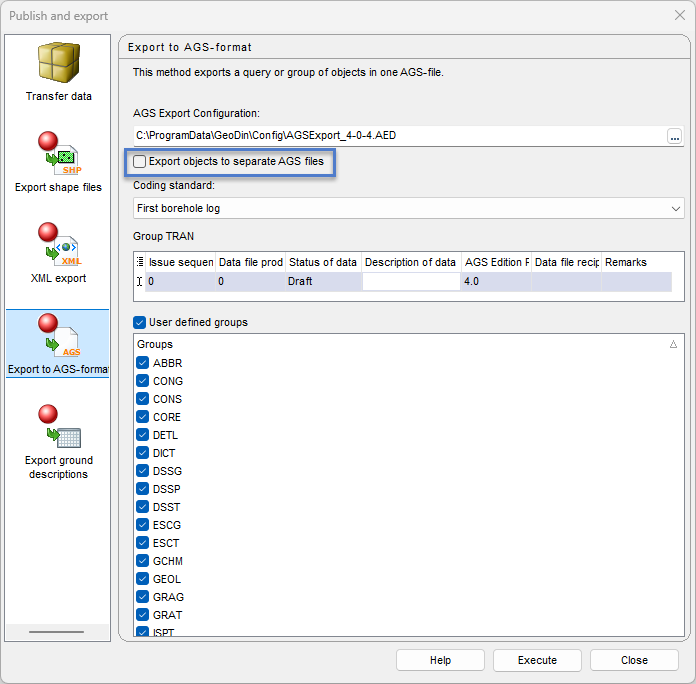
By selecting this option, an AGS file will be created for each object.
Export objects to separate AGS files
### Select coding standard
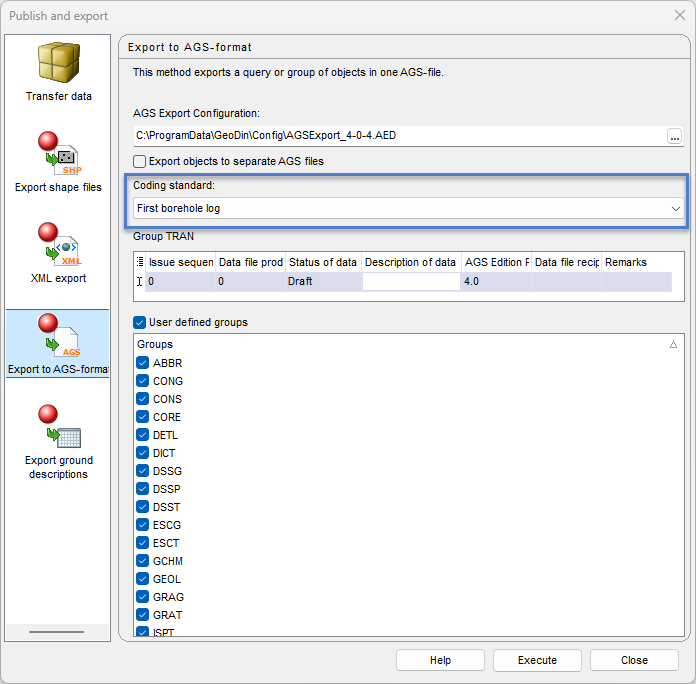
If you need to export according to a specific coding standard, choose your desired standard from the drop-down menu. Ensure that a lithological description according to the selected coding standard is available within the object. By default, the first encountered coding standard will be used.
Coding standard
---
# Agent Instructions
This documentation is published with GitBook. GitBook is the documentation platform designed so that both humans and AI agents can read, navigate, and reason over technical content effectively. Learn more at gitbook.com.
## Querying This Documentation
If you need additional information that is not directly available in this page, you can query the documentation dynamically by asking a question.
Perform an HTTP GET request on the current page URL with the `ask` query parameter, and the optional `goal` query parameter:
```
GET https://docs.geodin.com/exporting-data/ags-export.md?ask=&goal=
```
`ask` is the immediate question: it should be specific, self-contained, and written in natural language.
`goal` is optional and describes the broader end goal you are ultimately trying to accomplish on behalf of the user. GitBook uses it to tailor the answer towards what is most useful for that goal.
The response will contain a direct answer to the question and relevant excerpts and sources from the documentation.
Use this mechanism when the answer is not explicitly present in the current page, you need clarification or additional context, or you want to retrieve related documentation sections.
%20(1)%20(1).png?alt=media)
%20(1)%20(1)%20(1)%20(1).png?alt=media)
%20(1)%20(1)%20(1)%20(1).png?alt=media)
%20(1).png?alt=media)
%20(1)%20(1)%20(1).png?alt=media)
%20(1)%20(1)%20(1).png?alt=media)
%20(1)%20(1).png?alt=media)